- 32rays from the true centre
- 45devtas, each with a remedy
- 81marma cells, nine Maha Marma
- 2report languages, English and Hindi
Every part of the job happens on the drawing.
Trace the plot, pin the advice, hand over the report. The pictures below are drawn by the engine that runs the tool.
See the live demo1. Trace
Any drawing becomes a plot in a few clicks.
A photo, a scan, or a page from the architect's PDF. Click the corners, or let auto-trace find the outline on a clean scan. Set the scale from one known wall and every figure reads in feet.
- Upload JPG, PNG or a PDF page
- Auto-trace with alternatives you can pick from
- Or draw the walls on a blank sheet with a one-foot grid
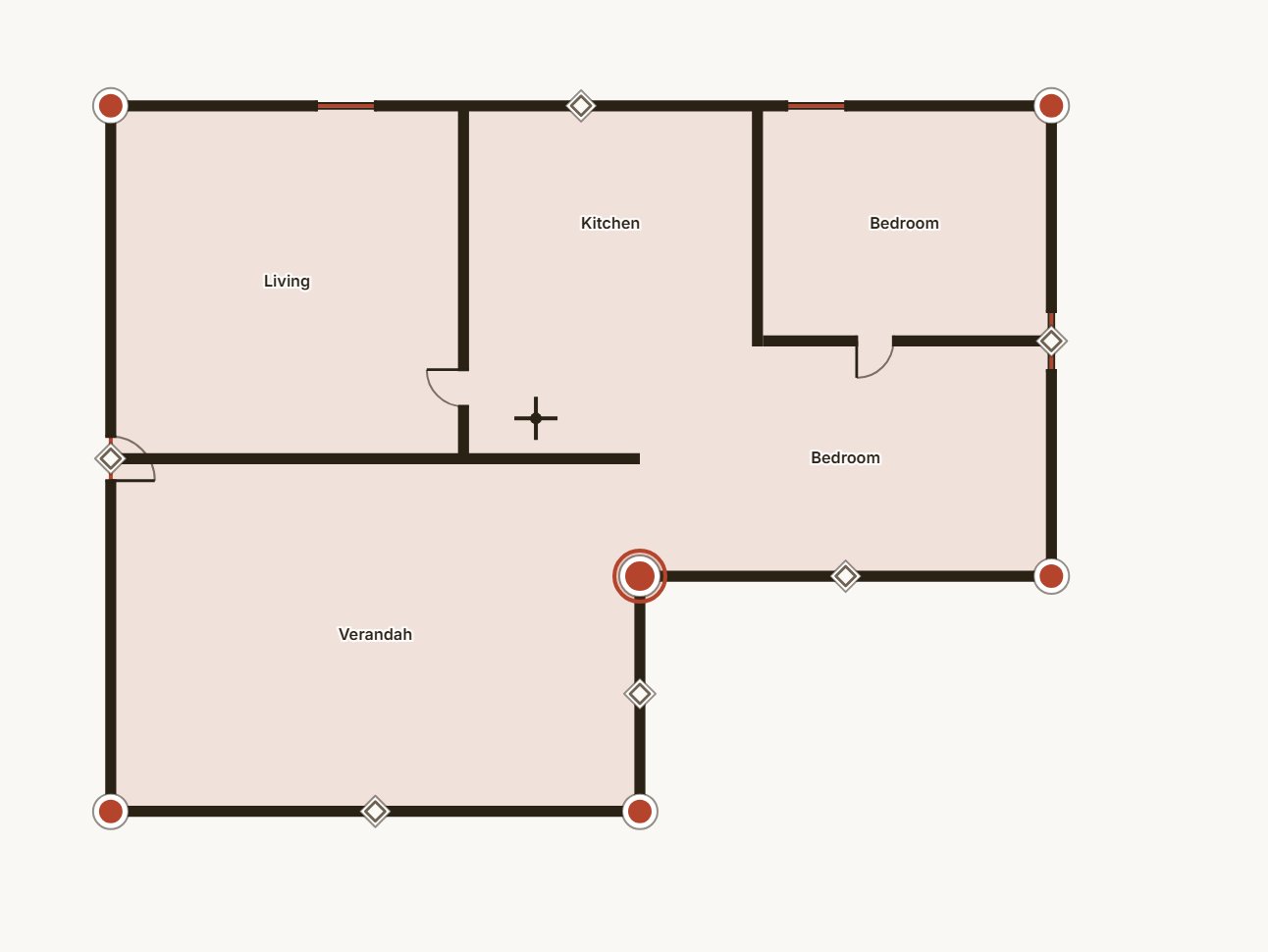
Tracing: six corners placed, the outline closed, the chakra not yet laid.
2. Advise
Pin the remedy where it goes.
A callout is a pin on the plan, a line, and a card of advice, with a picture if you want one. The reading stays yours; the drawing carries it to the client.
- Callout cards with pictures, four preset helix cards
- Colour bars painted on the wall they apply to
- Remedy worklist: done, pending, not applicable, with your note
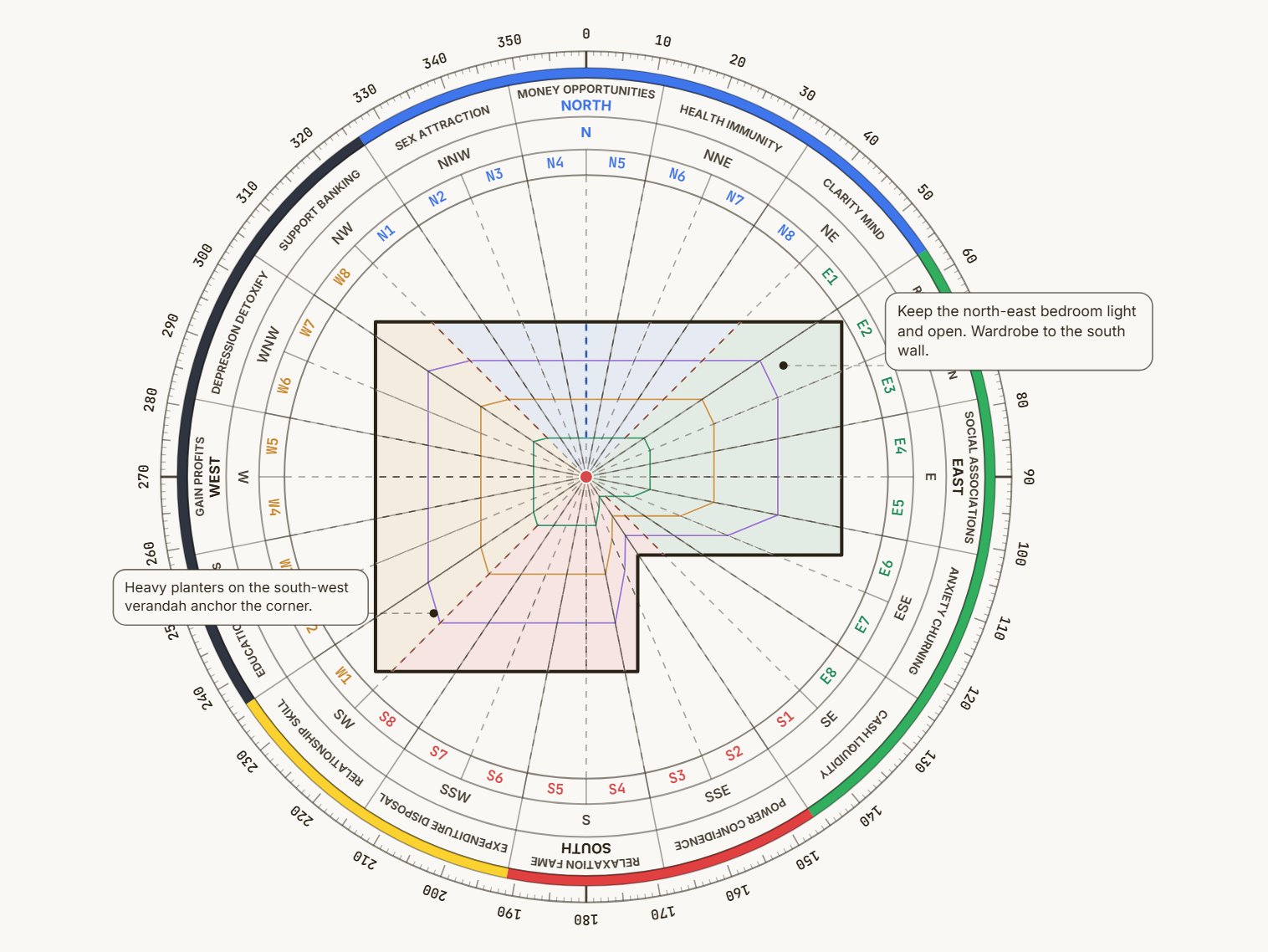
The 32-zone chakra with two remedy callouts pinned to the plan. The cards print in full in the report.
3. Report
The report your client keeps.
A PDF with your name and logo on the cover, in English or Hindi. Every drawing at print resolution, the numbers set in tables, the remedies written out in full.
- Cover, plan, three views, zone areas, entrance, remedies
- Share as a link the client opens without an account
- Passphrase and expiry on the link; stop it any time
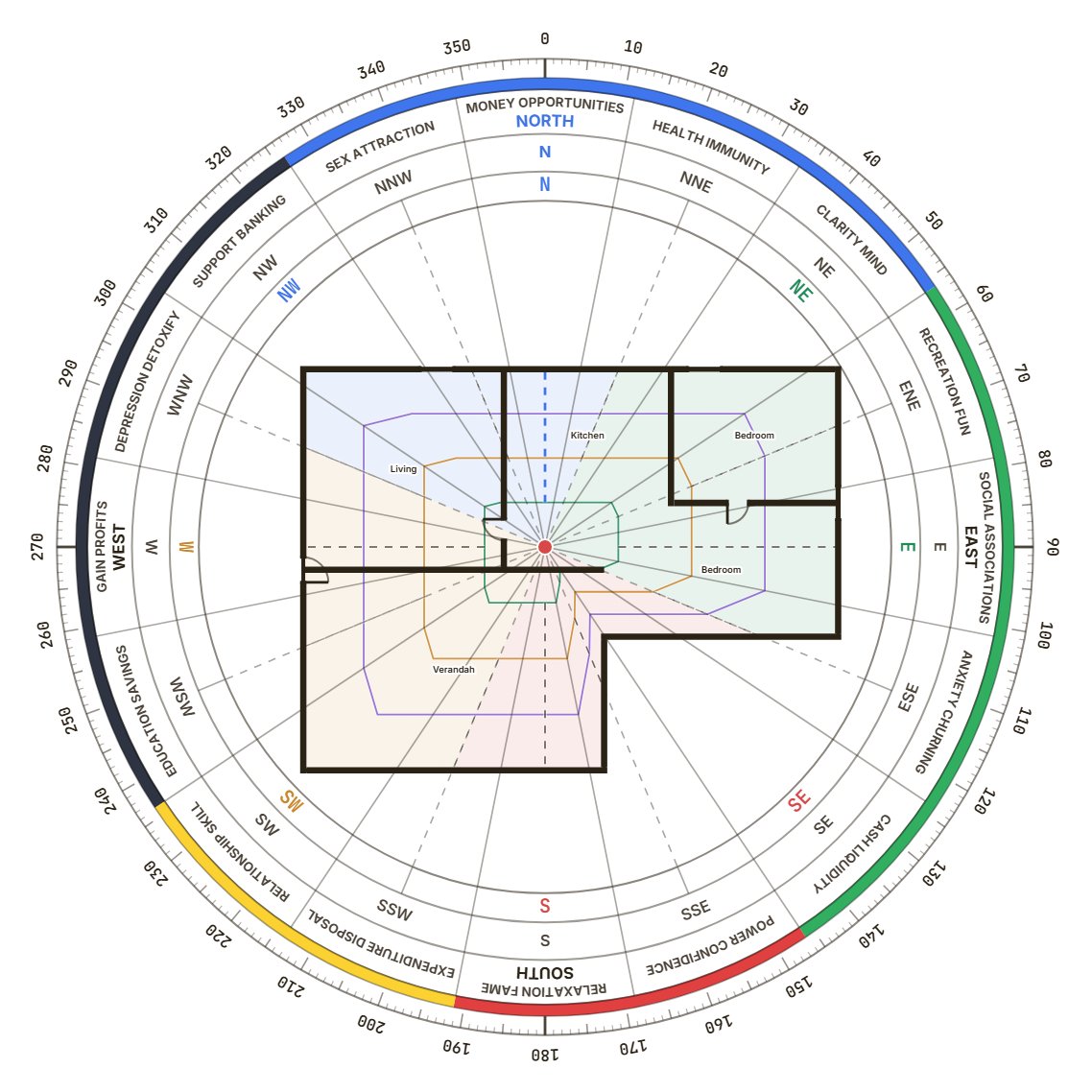
The top of one report page: the 8-zone chakra, then the zone table. Drawn from the same numbers as the editor.
I built this after one too many evenings with tracing paper, a protractor and a scanned plan that would not sit straight. Find the centre, lay thirty-two rays, measure each zone, type it all into a report. The same twenty minutes for every client, before the actual reading began.
The tool does that part now, and only that part. It does not tell you what a plan means. It gives you the drawing, measured, so that you can. If a number in it is ever wrong, write to me and I will fix it.
Written by the person who reads support@thevastutool.com.
Made for people who read plans for a living.
Consultants, architects and builders each use it differently. Here is how.
About usVastu consultants
The reading stays yours. The drawing, the measuring and the report are done.
- Branded PDF with your name and logo
- Remedy worklist the client can follow
- A link the client opens without an account
Architects and interior designers
Check a layout before it is built, on the drawing you are already working in.
- Marma points against columns and wet areas
- Entrance pada for every door option
- One room analysed on its own
Developers and builders
Read every floor of a building and hand over one document for all of it.
- Floors under one building, one share link
- Clients filed by household
- Restore points and a trash for every project
Free to trace a plan. Paid when you bill for it.
Prices in rupees, GST included — nothing is added at checkout. Paid plans are fixed-term passes, not subscriptions.
Compare the plans line by lineFree
₹0no card, no clock
- 3 projects
- Every analysis tool — 8 / 16 / 32 zones, 45 Devta, Marma, remedies
- Watermarked preview PDF
- Share links
Questions
Billing and refunds are on the pricing page. How each part works is in the help pages.